
Organise as many presets as you like, not just the eight that fit in the amp. Then switch to the live view and play them, with buttons big enough to hit in the dark. No account, no server: your library stays in your browser.
What it does
The Spark 2 holds eight presets at a time, the Spark NEO four. Everything else — the sounds you built, the ones you only need for one song, the ones you’re still trying out — has nowhere to live. This is that place.
As many presets as you like, with name, categories, notes and sound family.
It reads them from the amp, imports the official app’s
preset_backup.zip, exports and re-imports as JSON.
Reading the library from the amp again never wipes your work: it recognises the presets and rewrites only the sound, leaving tags, notes and order untouched.
A Live view made to be used while you play, not for cataloguing: banks of eight big buttons, and an LED to recognise the sound at a glance.
A preset already loaded on the amp switches on instantly; one that isn’t there is sent whole in about a second.
An effects-chain editor that works on the sound that’s playing: you turn a knob and the amp answers.
Before opening it always reads the real state back from the amp, because if you touched a knob on the panel the truth is there, not in the library. Nothing is saved until you ask.
The live view, in two banks of four like the amp’s LEDs.
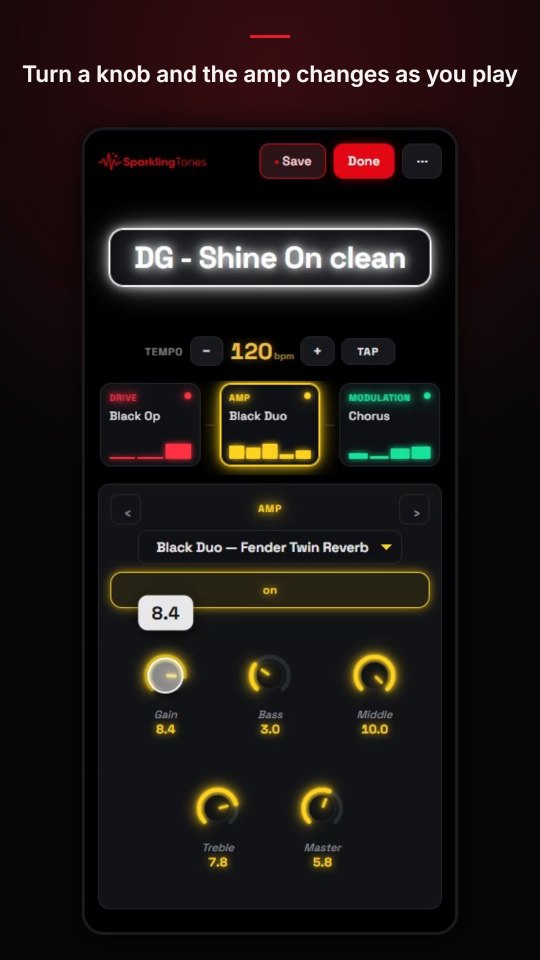
The app at work. Opens on YouTube.
Guide
There’s nothing to install and nothing to sign up for. From a switched-on amp to your first organised library takes five minutes.
The browser asks which Bluetooth device to use: pick the Spark 2, or «Spark NEO Control» if you have the NEO. It must be on and not connected to the official app — one master at a time. If you can’t find it in the list, that’s the first thing to suspect.
As soon as it’s connected it starts reading the presets you loaded into the amp by itself. It takes a few seconds. They appear at the top, labelled A1…B4 with the colours of the panel’s LEDs: red for bank A, green for bank B. On the NEO there are four slots, CH1…CH4, and the app works out by itself which amp it’s talking to.
If you use the official app, export the preset_backup.zip from there
and load it: your whole collection comes in at once. Otherwise the library
grows as you go, with «Import current preset» every time you find
something you like.
Categories for the style — the band, the song, the genre — and the family (clean, drive, acoustic) that becomes the colour you recognise the preset by without reading it. Notes are for what you discover by playing: which solo, which tuning, what to turn down when the room booms.
A bank is a set list: eight presets in the order you need them. The banks you make don’t touch the amp — the presets are loaded on the fly — so you can make as many as you like without the risk of overwriting the eight inside it.
From the browser menu, «Install app» (or «Add to Home screen»). It becomes an icon, opens full screen and works offline: at a gig there’s no network, and it shouldn’t need one.
Before you start
This project was born to solve a problem of mine and it works on my amp. The Spark 2 protocol isn’t documented anywhere: here it was reconstructed by observing, measuring and verifying on the hardware. Some things are worth knowing up front.
Build it yourself
The live view, detached from the phone. An ESP32 takes the banks from the app over Bluetooth, keeps them in memory and then runs on its own: it connects to the Spark by itself and changes presets with your foot. And now it runs the looper too.
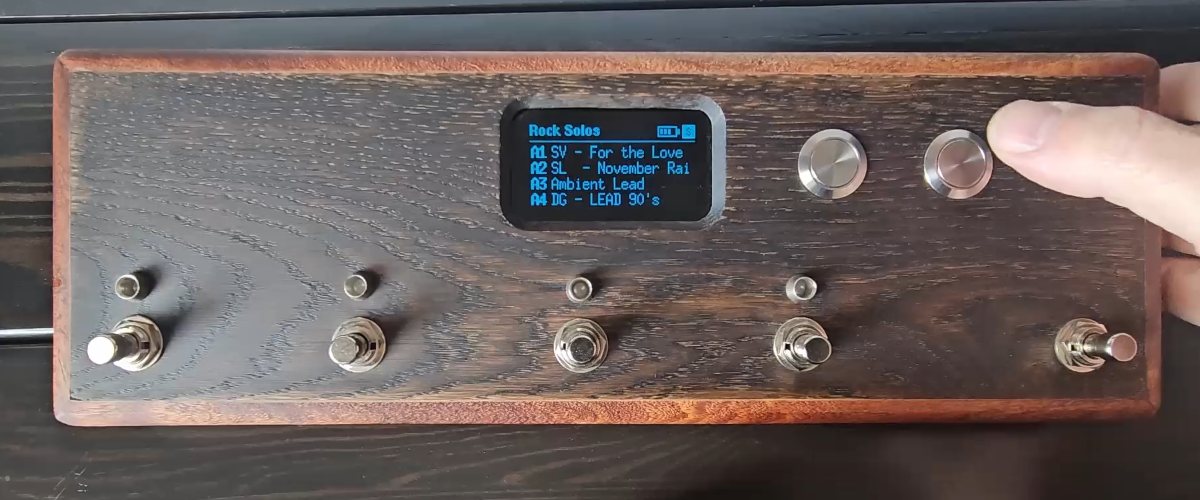
The pedal at work. Opens on YouTube.
It works with the Spark 2 and the Spark NEO: if either one is on, it recognises it and connects by itself. On the NEO changing preset is slower — a little over half a second against a fifth — but still usable.
Four footswitches for the sounds, the fifth to switch halves of the bank without touching what’s playing. A red or green LED shows which one is on, the display shows its name.
The bank buttons step through the amp’s own slots, which change instantly, and up to eight banks sent from the app, which stay in the pedal even with the power off.
The Spark 2’s looper with your feet: record and overdub, undo and redo, play, stop, clear. From 1 to 16 bars or free length, and tap tempo.
Before recording it counts in four beats with a click, an LED beats the tempo, and a ring on the display fills up bar by bar.
Hold two footswitches together and it becomes a MIDI controller: Program Change for presets, Control Change for effects.
Over USB for a computer, over Bluetooth for an iPad (BIAS FX).
An 18650 cell inside the case: about 17 hours of use, measured. It plays while charging from its own USB-C socket, and the display shows how much charge is left.
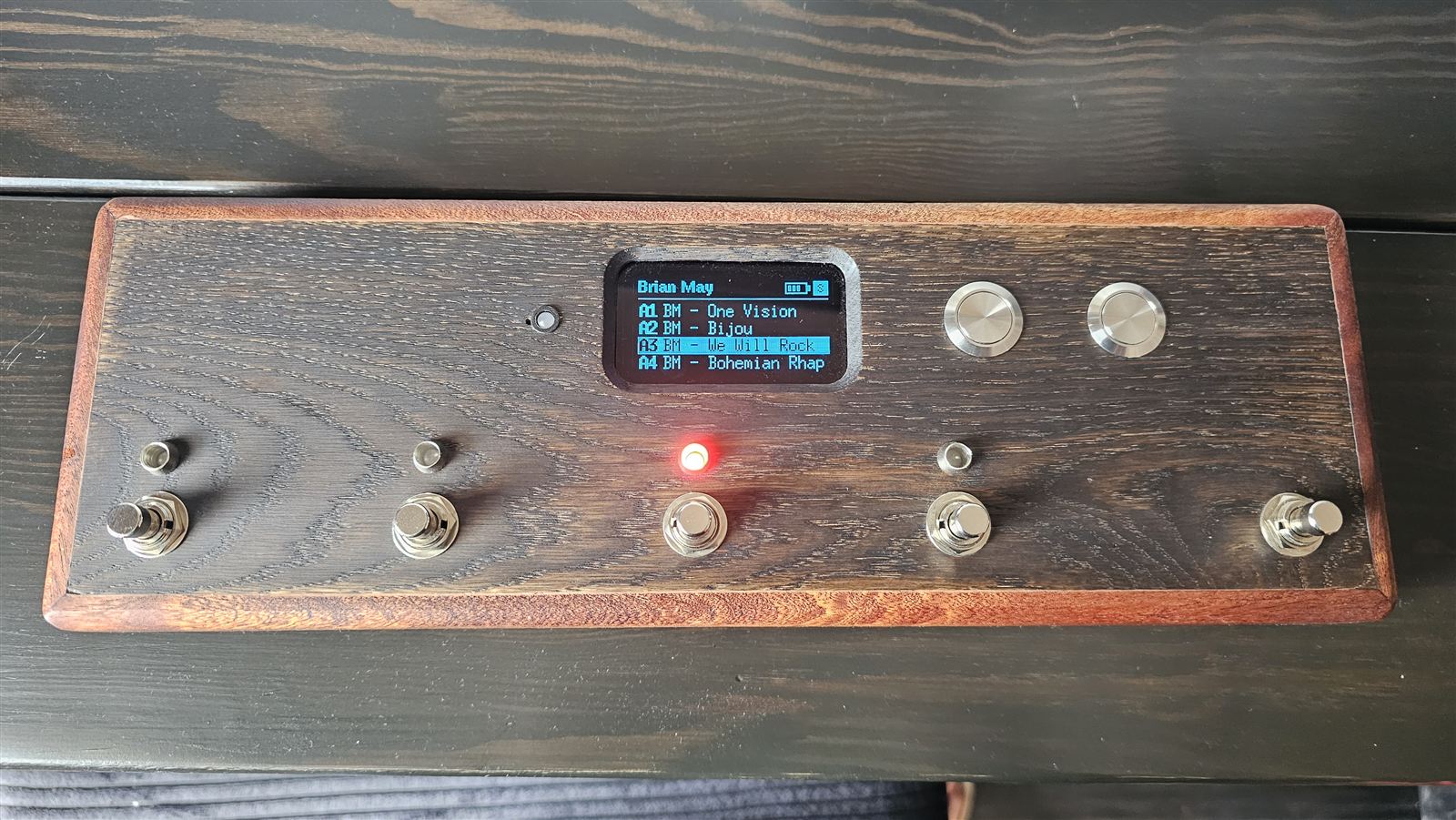
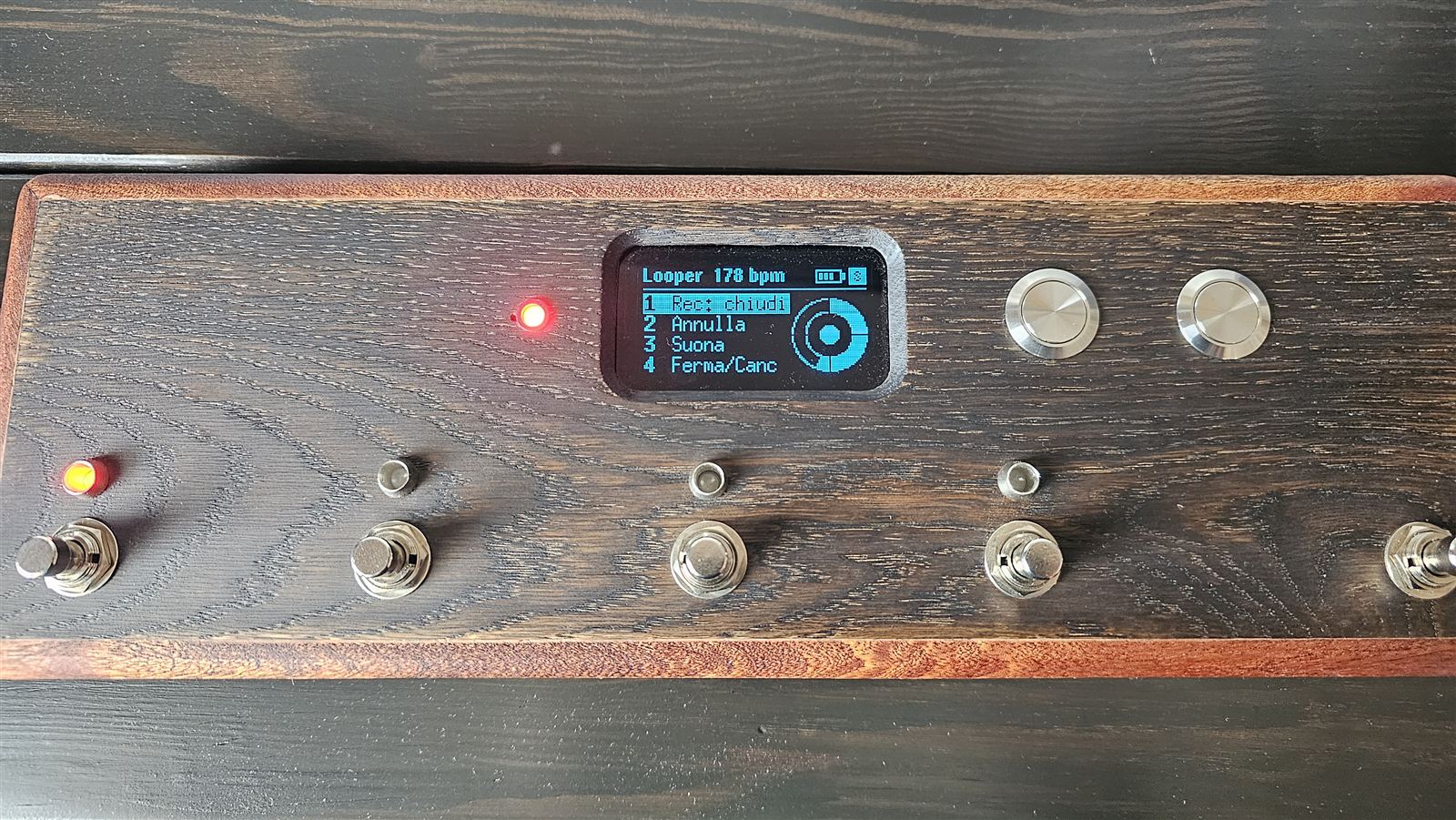
It’s built and it plays. The guide explains how to build one, piece by piece — parts, diagrams, assembly, firmware — and how to use it.
The interesting part has been measured, and it isn’t bandwidth:
| Loading a whole preset | Measured |
|---|---|
| from the phone, via Web Bluetooth | 1246 ms |
| from the ESP32, requesting a 7.5 ms interval | 326 ms |
| from the ESP32, once settled | 178–215 ms |
The second the phone takes is sixteen round trips with the amp. Web Bluetooth doesn’t let you touch the connection interval; on the ESP32 you can, and that makes all the difference.
For developers
If you got here looking for how to talk to a Spark 2, this is probably the part you need. It’s all public, in the repository, with the raw captures and also the roads that turned out to be dead ends — so nobody walks them again. The protocol is documented in English too; the rest of the documentation is in Italian.
0xFFC0, write 0xFFC1 (only
write without response), notifications 0xFFC2.0x00 byte: without it, the amp
replies with a regular ack and applies nothing. It’s in no
other source, and it’s a Spark 2 difference.Nothing to install, nothing to sign up for, nothing to pay.
Open the appSparklingTones is free and will stay free: no ads, no account. I write it in my spare time; if it’s useful to you, a coffee helps me keep going.
☕ Buy me a coffee